

The USB stick is unlabeled. A fill-in DJ hands it over on his way out the door, mutters "should be everything you need," and disappears before you can ask what "everything" means. The folder inside is named stuff. Eight hundred tracks, bitrates anywhere from 96kbps to lossless, half of them missing artist tags, three mislabeled, and one track that shows up three separate times under three different filenames because somebody exported it three times and never noticed.
You have four minutes before the room notices the silence.
That folder isn't a library. It's an archive with delusions of being one. Learning how to organize Serato crates properly is the difference between that folder and yours — but if you've ever scrolled past track four hundred hunting for the one clean edit you know exists somewhere, you're closer to stuff than you'd like to admit.
A 10,000-track library means nothing if you can't find the track in ten seconds
Here's the opinion this article rests on: track count is a vanity metric until the library is actually organized. A DJ with 10,000 tracks in one flat crate has less usable music, in practice, than a DJ with 2,000 tracks split cleanly across genre, tempo, and energy. Usable beats big. It's not close.
The counter-argument sounds reasonable: more tracks means more options for whatever the room throws at you. Fine — but an option you can't find inside ten seconds isn't an option. It's dead weight sitting between you and the track you can actually locate, which is usually whichever one you played last week because it's still sitting in a recent-adds crate.
This is the part the search-bar workflow misses too. Typing a key or a title into Serato's search field works when you already know what you're looking for. It does nothing when the room needs "something warmer, still moving" and you don't have a crate for that mood — you have a search box and a guess.
The fix isn't more tracks. It's a crate structure built to survive the moment the request sheet gets weird, not just the Tuesday afternoon you spent tidying it.
Crates are playlists, not folders — stop treating them like a filing cabinet
The single most common mistake: dragging tracks into one crate like it's a folder on a hard drive, as if a track can only live in one place at a time. It can't, and that's the whole point.
A Serato crate is a pointer, not a container. The same track can sit in a genre crate, a BPM crate, and a gig-specific crate simultaneously, and none of that touches the actual file on disk. Removing a track from a crate doesn't delete it. Renaming a crate doesn't move anything. The moment that clicks, crate-building stops feeling like a filing chore and starts feeling like tagging — the same track wearing three labels for three different search paths.
Subcrates nest and collapse, so a genre crate can hold ten subcrates without turning your sidebar into a scroll marathon. That's the piece that makes a big library survive past a few hundred tracks — vinyl DJs called it crate digging because they were hauling actual milk crates full of records. Your back is safer now. Your scroll wheel took the hit instead.
How to organize Serato crates with a three-tier system that scales
Most working DJs land on some version of the same shape once the crate count gets past a couple hundred:
- Top tier — genre crates. Broad buckets: House, Hip-Hop, Open Format, Latin, whatever maps to how you actually book. Five to ten of these, no more.
- Middle tier — BPM or energy subcrates, nested inside each genre. Not "House," but "House — 120–124" and "House — 124–128." Or skip tempo and go by feel: warm-up, peak, cool-down.
- Bottom tier — smart crates, layered on top of both. Rule-based crates that auto-populate — "BPM between 120 and 124, added in the last 90 days" — so new additions sort themselves without you touching a thing.
None of this needs to be built in one sitting. Set the genre tier first, since that's the one that actually changes how you browse mid-set. Add BPM subcrates for the genres you play most, not all of them at once. Layer smart crates in last, once you know which rules you'd actually use instead of which ones sound clever on paper.
Set it up in Serato — columns, sorting, and secondary sort
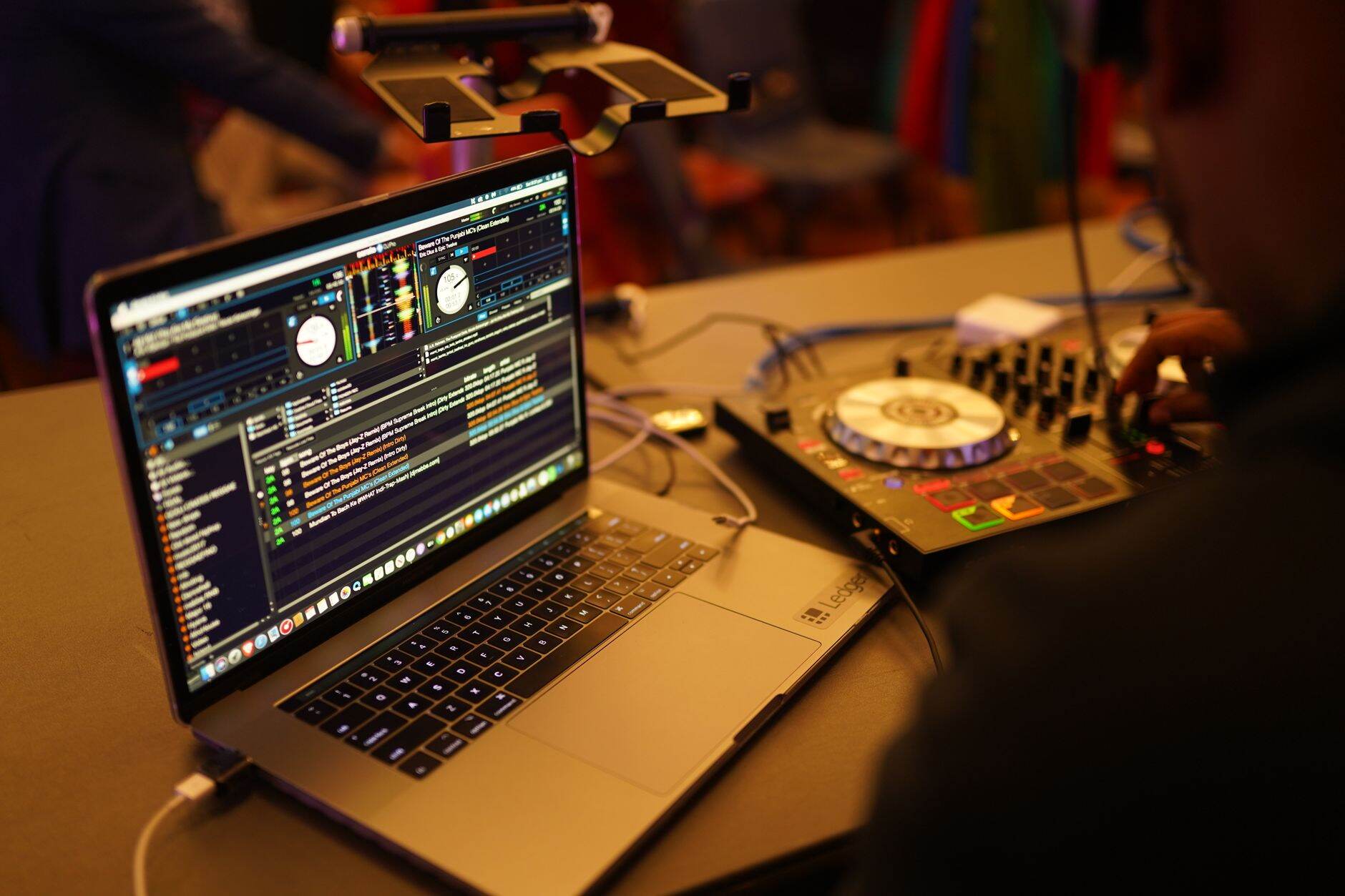
Once the crate tiers exist, the browser columns decide whether they're actually fast to use. Right-click any column header and you'll get a menu of every field Serato tracks — BPM, Key, Genre, Comments, Date Added, Grouping. Turn on the ones you'll actually sort by and hide the rest. A browser with eighteen visible columns is not more organized than one with six. It's just more to scroll past.
Click a column header once to sort ascending, again for descending. That's the surface-level trick everyone knows. The one that actually changes how fast you work live is secondary sort: hold the sort on one column — Key, say — while a second click on another column (BPM) reorders within each key group instead of blowing away the first sort entirely. Browse a whole genre crate sorted by key, with BPM climbing inside each key group, and you can chain a set by both harmony and tempo without leaving the crate.
Lock tracks you've finished tagging — BPM analyzed, key confirmed, cue points set — so an accidental drag or a bad auto-analysis can't quietly overwrite the work. It's a small setting most DJs skip until the first time Serato re-analyzes a track mid-prep and shifts every cue point three seconds to the left.
Color-code and tag for energy, not just genre
Genre tells you what a track sounds like. It says nothing about when to play it. Serato's own writeups on working DJs show the pattern clearly — some tag tracks by energy tier so a warm-up set never accidentally opens with a peak-hour banger, others color-code crates so red means "this one always works," yellow means "deep cut, use with a room that's paying attention," and blue means "safe warm-up, nobody's mad about this."
Pick one system and apply it everywhere, because a color code that means one thing in your House crate and something else in Hip-Hop just adds a translation step at 1 AM. The Grouping column works well for this too — a short tag like "peak" or "open" sorts and filters the same way BPM does, and it travels with the track even if you rebuild the crate structure later.
(Yes, this means tagging tracks you already own a second time. The payoff shows up the first time a promoter changes the brief an hour before doors and you can pull "warm-up, no vocals" instead of scrolling three hundred tracks by ear.)
Should you organize on the filesystem too, or only in Serato?
Only in Serato. Leave the actual audio files in one folder, untouched, and do every bit of sorting inside the crate structure. The moment you start building genre folders on the hard drive and mirroring that structure in Serato, you've created two systems that can drift apart — move a file on disk without Serato watching, and every crate pointing at it goes gray with a broken link.
The filesystem's only job is to hold the files reliably and get backed up. Crates are the actual browsing layer. Keep them separate and a rebuilt laptop or a swapped drive is a five-minute relink instead of a rebuilt library.
How many crates is too many, and how do you keep them from rotting?
There's no fixed ceiling, but if the root level has more than eight to ten crates before you've even opened a subcrate, you've skipped the tiering step and built a longer flat list instead of a structure. Push categories down into subcrates until the top level reads like a table of contents, not a wall of text.
The rot happens quieter than the sprawl. A crate built for one specific gig two years ago is still sitting there, still showing up in searches, still one misclick away from getting dragged into tonight's set by mistake. Sweep gig-specific crates after the date passes — archive them into a dated folder if you want the history, or delete them if you don't. Smart crates need less maintenance since they rebuild themselves, which is exactly why the manual, one-off crates are the ones that need a scheduled cleanup and nothing else does.
Twenty minutes a month keeps a crate system from turning into a second stuff folder. Skip it for a year and that's exactly what you'll have — just with better metadata this time.
Frequently asked questions
How do I organize my Serato library from scratch?
Start with five to ten top-level genre crates that match how you actually book gigs, not a maximalist list of every subgenre you own. Add BPM or energy subcrates inside the genres you play most. Layer in smart crates last, once you know which auto-sort rules you'd actually use.
What's the difference between a crate and a smart crate in Serato?
A regular crate holds whatever tracks you manually drag into it. A smart crate auto-populates and updates based on rules you set — BPM range, genre, date added, key — so it stays current without manual upkeep. Use regular crates for gig-specific sets and smart crates for anything rule-based.
Should I organize my music by genre or by BPM?
Both, nested. Genre as the top tier, BPM or energy as a subcrate layer inside it. Genre alone doesn't tell you when to play a track. BPM alone strips out the genre context you need mid-set.
Can a track be in more than one Serato crate at once?
Yes, and it should be. Crates are pointers to the same file, not copies or folders. A track can live in a genre crate, a BPM subcrate, and a smart crate simultaneously without duplicating anything on disk.
None of this replaces good track selection. A perfectly tiered crate system full of the wrong tracks for the room still leaves you empty-handed at 1:47 AM when the floor needs saving. What it does is put the right track inside your arsenal within ten seconds instead of forty, so the only thing left to get right is the call itself.
That's the actual payoff of learning how to organize Serato crates: build the structure once, deploy it every gig after, and the system stops being a chore you maintain and starts being the reason you never hand someone a USB stick labeled stuff.
If you want to hear what a set built on an organized library sounds like, the sets are on the homepage. The piece on how to get booked as a club DJ picks up the library-breadth argument from the booking side, and is using sync cheating covers the other half of what actually matters once the crate system is sorted. More breakdowns like both live on the blog.
Image credits. All photos via Pexels under the Pexels free-to-use licence. Hero: Benjamin Lehman. Inline 1: Mushtaq Hussain. Inline 2: Jakub Zerdzicki. Inline 3: Larysa Stratiichuk.